
Permissions
All 4 kinds of information organizing (Pages, Chapters, Books, and Shelves) have a permissions system. For Books, Chapters, changes to their permissions will effect anything that is binded by that book or chapter. Shelves do not have this effect on books, with shelf and book permissions always being separated.
To change the permissions of something, view it, and press Permissions in the Action menu.
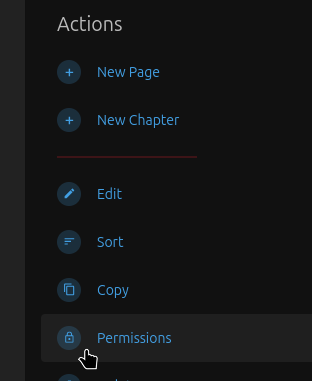
Setting Permissions
To set permissions for something, enter it's permissions screen. If it is not already there, you can add it from the "Override permissions for role" dropdown.
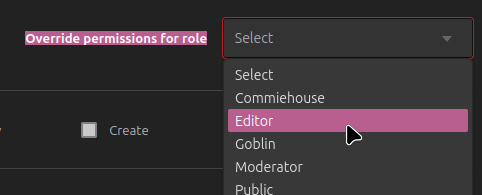
You should now see a permissions card like this.

View - Whether or not this person or group can see the shelf, page, chapter, or book, and anything inside of it.
Create - Whether or not this person or group can add pages to books and chapters, or add chapters to books.
Update - Whether or not this person or group can alter the details of a book, chapter, or shelf, change the content of a shelf, change the sorting of a book, or change the content of a page.
Delete - Whether or not this person or group can delete the book, shelf, chapter, or page. And, for books, and chapters, whether this person can or cannot delete the pages and chapters within.
If a box is checked the person or group is is given full access to that ability. If the box is unchecked the person is denied access to those abilities.
No comments to display
No comments to display