Skip to main content
Installing
- Grab and install a copy of Prism Launcher (Skip if you already have Prism)
- Sign in using the account manager in the upper right (Skip if you are already signed in)
- Download a copy of the modpack
- In Prism Launcher, in the upper right, press Add Instance.
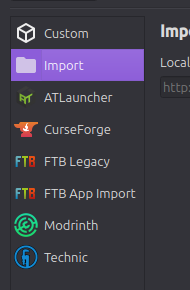
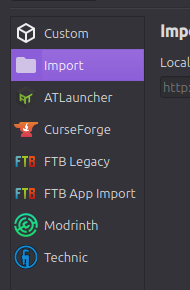
- In the New Instance window, on the left is a list that looks like the following. Press import from that list.
- In the import section, press Browse.
- Navigate to the zip file from step 3, and press select/open
- Once back in the New Instance window, press Ok
- Gobblinsemon will now appear in your main window. Use this to launch the game. The server is already added to the multiplayer list for you

No comments to display
No comments to display