
Allowing Room Joining from Multiple Spaces
What This Solves
When you add an existing room or space to a space, members of the new space cannot join the existing room/space. Members of the space the room/space was created inside of can still join, only new spaces which include the room/space are prevented. This is an oversight in the client, and can be fixed via forging an event.
Why This Problem Exists
There are 2 events which describe how a room and a space relate to eachother (or a space and a space), the m.room.parent event, and the m.space.child event. These are both a room-state event, which means instead of acting like a message, they are used to describe the room itself, like the name and icon of a room do. When these state events are aligned, you get the behaviour everyone expects: rooms can be joined and left if you are in the space the room is in, and the space will hold the room. However, this breaks down a bit in most clients.
The m.space.child event tells a space what rooms to list, and the m.room.parent event tells a room which spaces can allow members to skip the room invite process. When you have an m.space.child event which adds a room, and the room doesn't have an m.room.parent event with that space, this scenario means anyone already in the room will see the room in the space, but anyone outside the room will be unable to see and join it in the space. Most clients don't add the m.room.parent event when you add an existing room to a space, or a space to a space. That's why we forge our own m.room.parent here, so it will allow members from multiple spaces to join seamlessly.
What Information You Need
You will need to get the ID of the space you are adding another room/space to. Whatever space you pressed the "add existing room" or "add existing space" inside. You can get this by going into the space settings, going into the developer tools, and highlighting the room ID and copying.
You will also need to get servers which are "available to assist in joining." This means homeservers with members that are going to be present in both the new space and the existing room/space. 90% of the time for us, that means goblins.gay and bearware.dev.
Forging the Event
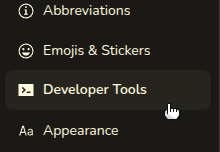
- Go into the existing room's/space's settings, and go to developer tools.
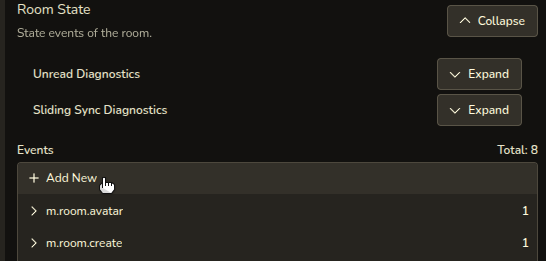
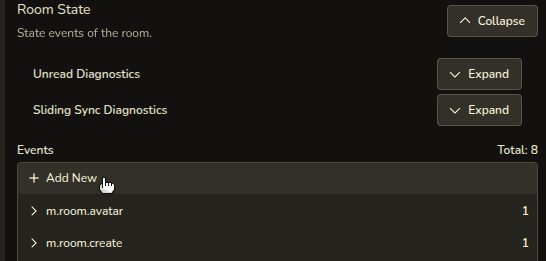
- Open the Room State dropdown

- Under the Events section, press "+ Add New"
- In the State Event Type put
m.room.parentif doing this to an existing room, andm.space.parentif doing this to an existing space.

- In the State Key, put the ID of the new space the existing room/space has been added to. It should start with an "!" and have a bunch of random characters, sometimes with a server name on the end. Below is 2 examples of what a room ID might look like.


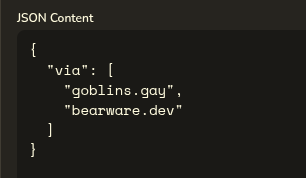
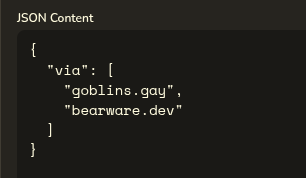
- In the JSON Content section, add a JSON object with a field called "via". This field will be an array of strings, each being a server that will assist in joining. If you don't know what exactly that means, but also know that goblins.gay and/or bearware.dev users will be there (anyone in feral goblins), copy and paste the following into the JSON Content:
{
  "via": [
    "goblins.gay",
    "bearware.dev"
  ]
}
- After all that is in place, press the green send button, and you're done!







No comments to display
No comments to display