
How to get it on linux
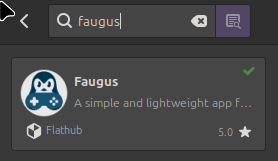
1. Download the Faugus launcher from your software manager.
2. download the battlenet launcher from the blizzard games website

3. click the plus button in Faugus on the bottom left of the window.
4. click the magnifing glass next to "Path", this will pull up your file manager, go to downloads and select the battlenet launcher.
5. Name the progam and then click okay in the bottom right corner.
6. you should be able to run the program! once it fully launches, make/ login to your blizzard account.
7. once logged in, download starcraft (2) and you should be able to play!
No comments to display
No comments to display