Skip to main content
Installing
- Grab and install a copy of Prism Launcher (Skip if you already have Prism)
- Sign in using the account manager in the upper right (Skip if you are already signed in)
- Download a copy of the modpack
- In Prism Launcher, in the upper right, press Add Instance.
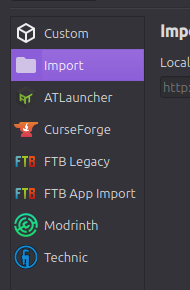
- In the New Instance window, on the left is a list that looks like the following. Press import from that list.
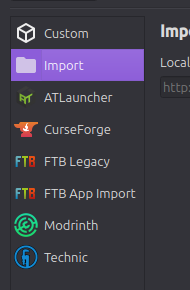
- In the import section, press Browse.
- Navigate to the zip file from step 3, and press select/open
- Once back in the New Instance window, press Ok
- Gobblinsemon will now appear in your main window. Use this to launch the game. The server is already added to the multiplayer list for you